Home
Zoho Solutions
🔷 Zoho One 📑 Zoho Books 🎯 Zoho CRM 📊 Zoho Analytics 📦 Zoho Inventory 💰 Zoho Payroll ⚙️ Business Automation
Indian Compliance
🧾 GST Compliance 📋 Income Tax 🇮🇳 TDS & Other Compliance
Global Finance
📈 Virtual CFO 🌐 Offshore CPA
Tools
📊 TDS Rate Finder 🧾 GST Late Fee Calc Soon 📋 Tax Regime Calc Soon
Industries
🤖 Robotics & Leasing 🚀 AI & SaaS Startups
Your Finance Team Case Studies Blog Updates Talk to an Expert
📦 Zoho Inventory🔢 Serial Tracking🔄 Transfer Orders📋 PO Workflow

Do you know where every unit
of stock is right now?

If the answer is no, or if you have to check a spreadsheet to find out, your inventory setup is not working. We implement serial number tracking from purchase receipt through to customer delivery and fixed asset conversion.

Every unit tracked from the moment it arrives

Serial numbers assigned at goods receipt. From that moment every movement is recorded: from Head Office warehouse to Demo/Pilot to Operational Deploymentd at Customer. The timeline on the right shows the full history of one unit.
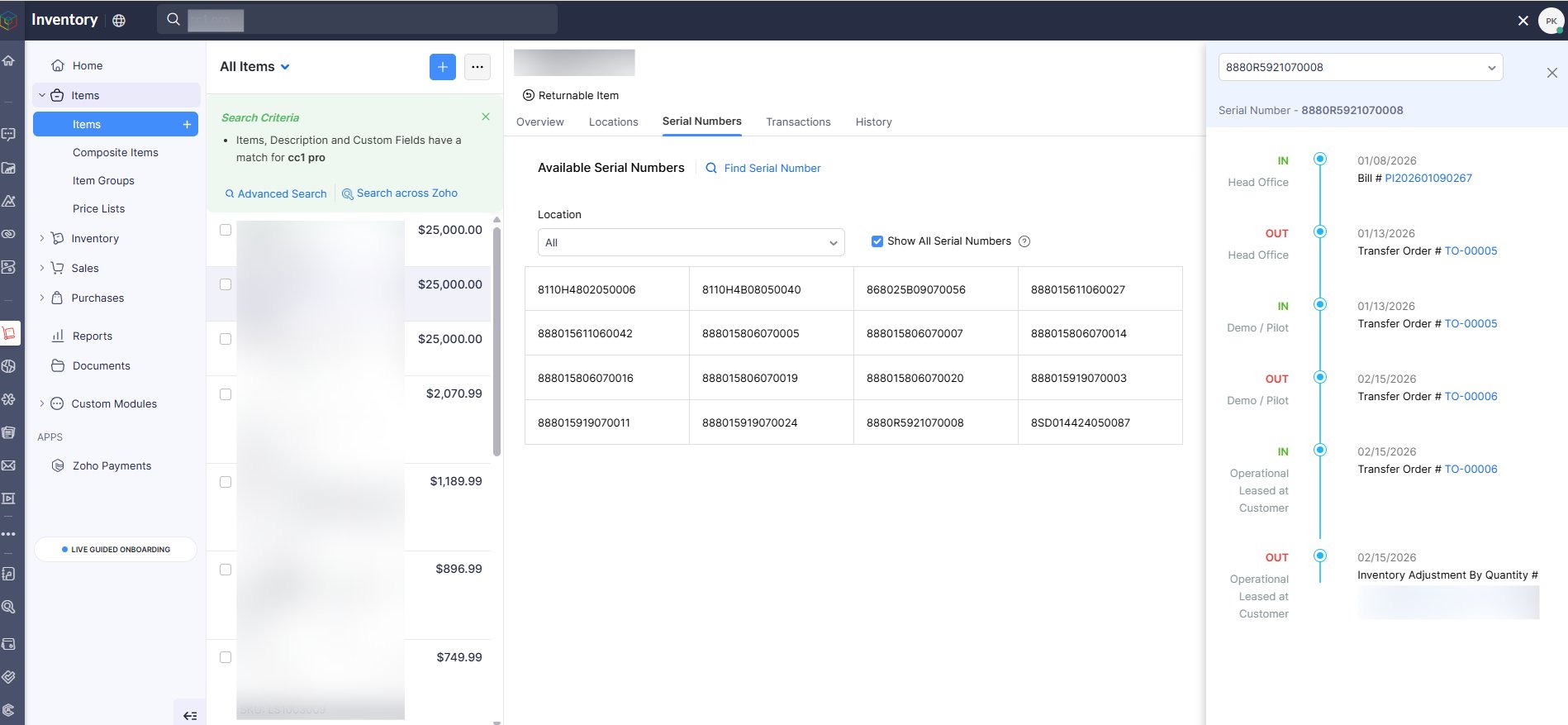
Zoho Inventory serial number movement tracking
Serial number 8880R5921070008 showing full timeline: IN at Head Office via Bill, OUT to Demo/Pilot via Transfer Order, IN at Demo/Pilot, OUT to Operational Deploymentd at Customer

Every unit movement tracked as a formal transfer order

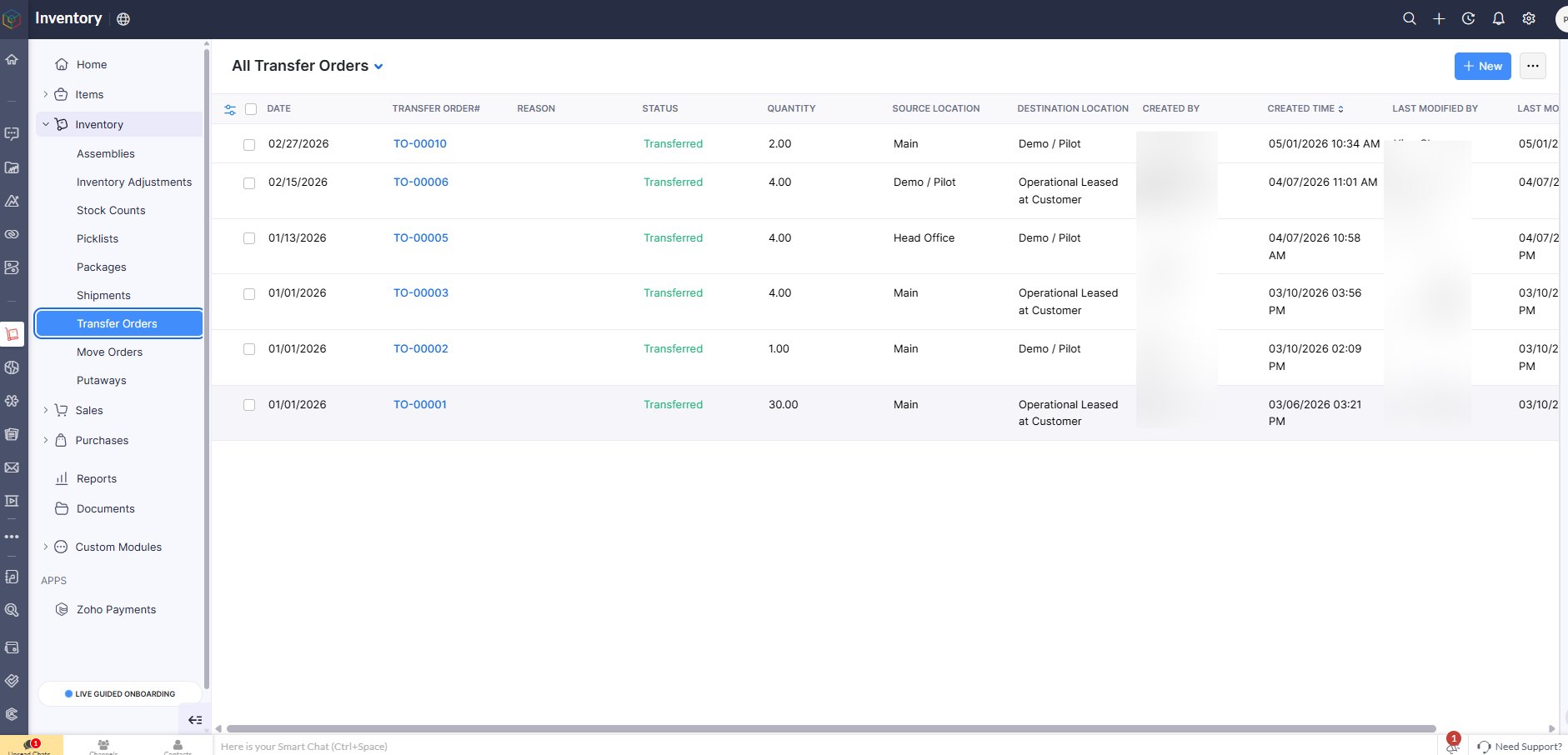
Unit going from warehouse to demo site to operational deployment is not a manual note. It is a transfer order in the system with date, quantity, source, destination and transferred status. Full audit trail.

Zoho Inventory transfer orders list
All Transfer Orders showing: Main to Demo/Pilot (TO-00005, 4 units), Demo/Pilot to Operational Deploymentd at Customer (TO-00006, 4 units), all Transferred status

Transfer order locations configured

Main Warehouse
Demo / Pilot
Operational Deploymentd at Customer
Head Office

Deployment details, recurring invoice and serial number in one record

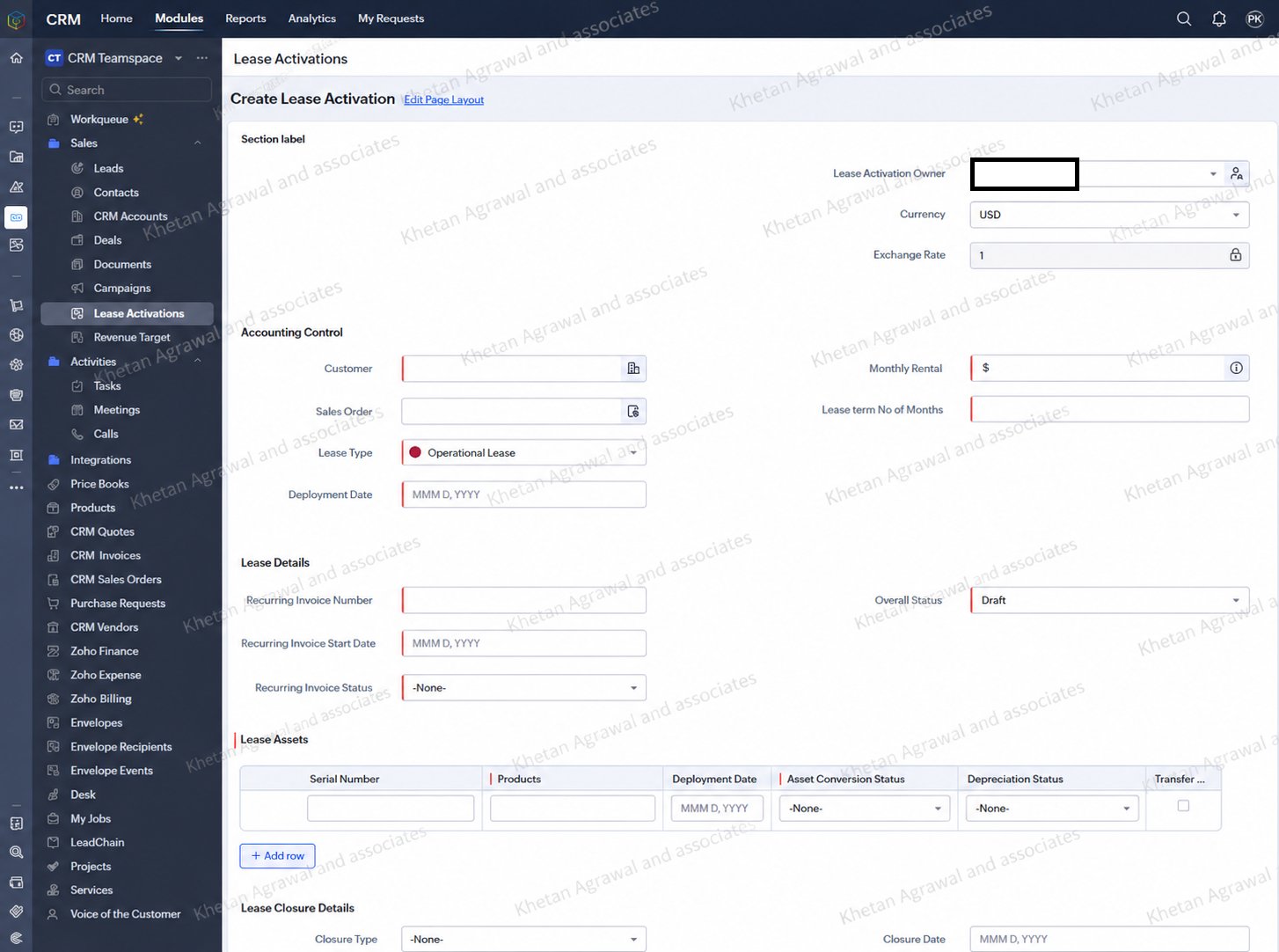
Custom Deployment Activation module in CRM links the deployment contract to the serial number, sets the monthly rental and deployment term, connects to the recurring invoice in Books and tracks Asset Conversion Status and Depreciation Status per unit.

Zoho CRM lease activation custom module
Deployment Activations module showing Customer, Sales Order, Monthly Rental, Deployment Type (Operational Deployment), Recurring Invoice Number, Deployment Assets table with Serial Number, Deployment Date, Asset Conversion Status and Depreciation Status fields

Unit moved from stock to fixed asset when deployed on deployment

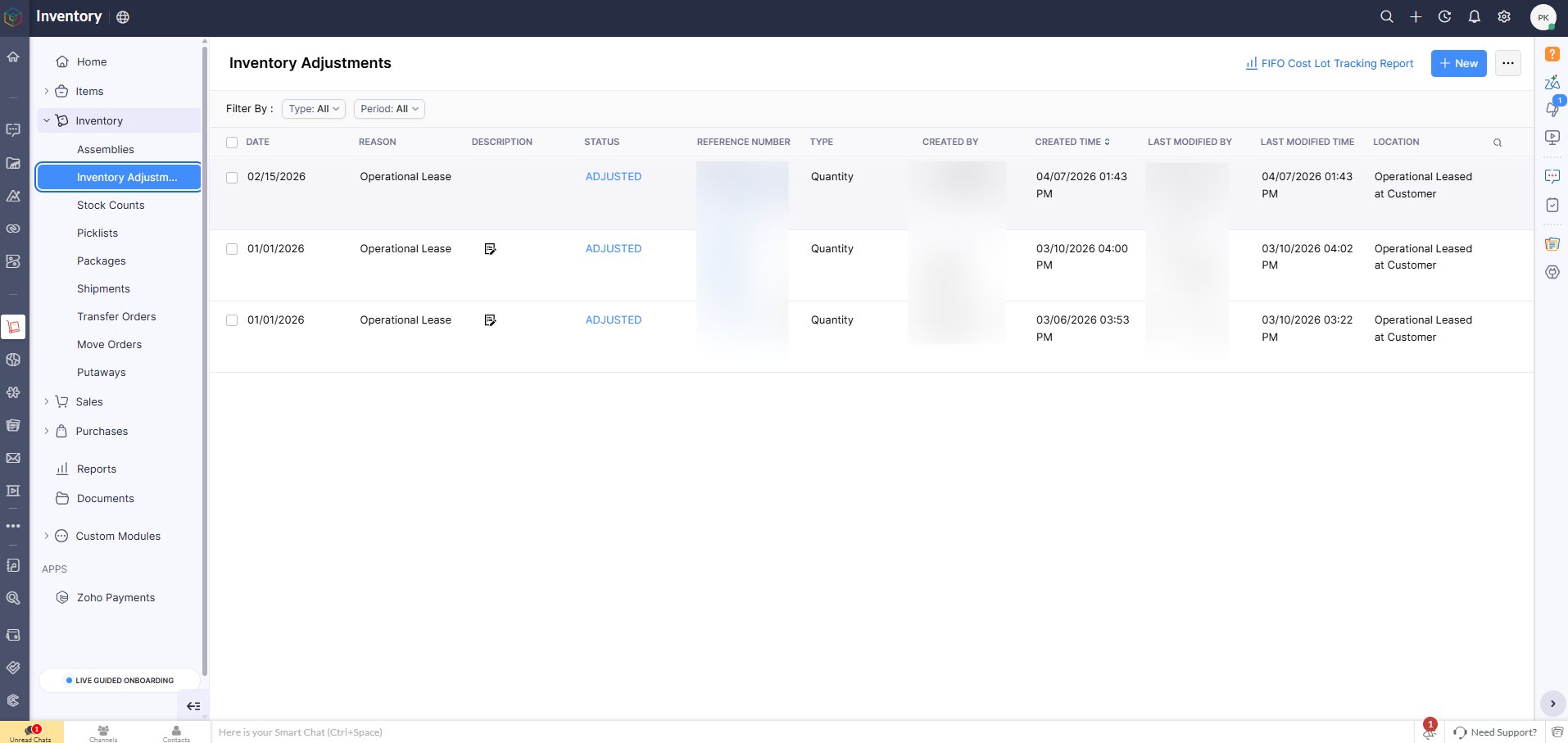
When a unit transitions from inventory to an operational deployment, an inventory adjustment removes it from stock and it is capitalised as a fixed asset in Zoho Books with depreciation starting from conversion date.

Zoho Inventory adjustment for operational lease conversion
Inventory Adjustments showing Operational Deployment adjustments with ADJUSTED status and location as Operational Deploymentd at Customer

Critical rule from the SOP

All unit purchases must first enter the system through the Main Warehouse, even if the vendor ships directly to the customer. This ensures serial numbers exist in the system, inventory valuation is correct and traceability is maintained end to end.

Can you tell us where every unit of stock is right now?

If not, let us set up inventory tracking that gives you that answer in one click.